Any distro, your setup.

Liny~Sync moves one Linux machine's setup to another, whichever distro each runs: dotfiles, shell config, SSH and GnuPG keys, editor settings, bookmarks, your folders and the lists of what apt, dnf, pacman, Flatpak, Snap and Homebrew installed. Files go straight machine to machine, end-to-end encrypted, and a brief tells your AI agent what is left.

LinY.SYncDISTRO ⇄ DISTROCoded in Rust & RuneMIT
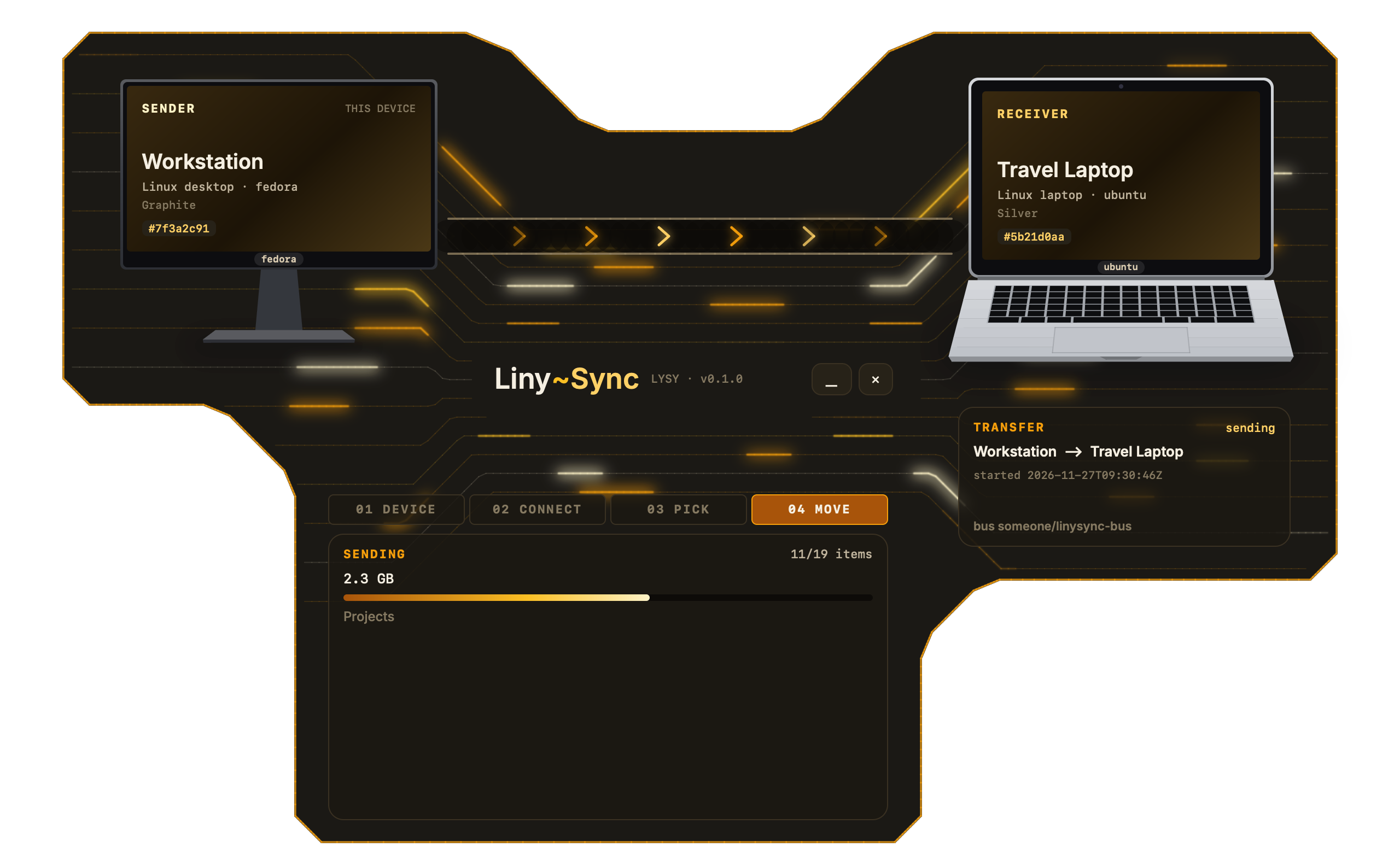
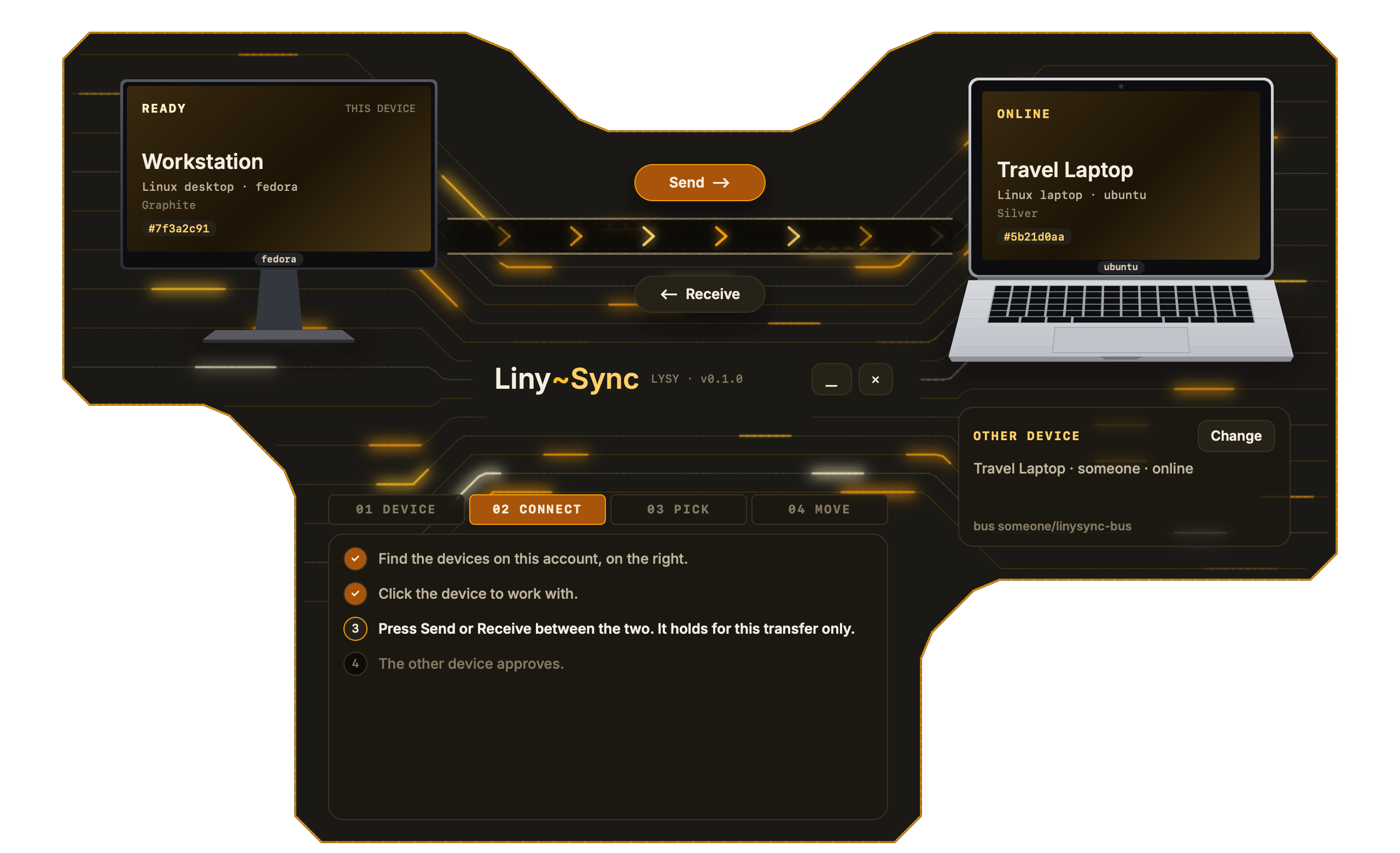
LinySync window: this machine on the left sending to another Linux machine on the right
How it works

GitHub introduces them, the devices talk direct

Your machines meet in a private GitHub repo of yours. The files never go there: they travel from one machine to the other, whichever distros the two run.

01

Any distro sends, any distro receives

A Fedora laptop hands its setup to an Arch desktop, Ubuntu to Debian, or any other pair.

you / linysync-bus Private repo: the meeting point ▸ devices/ ▸ requests/ ▸ transfers/ Fedora laptopfedora #7f3a2c91sends Arch desktoparch #c04e19b7receives ids, requests, sealed keys files: machine to machine, end-to-end encrypted
02

From one machine to the next

01

Find

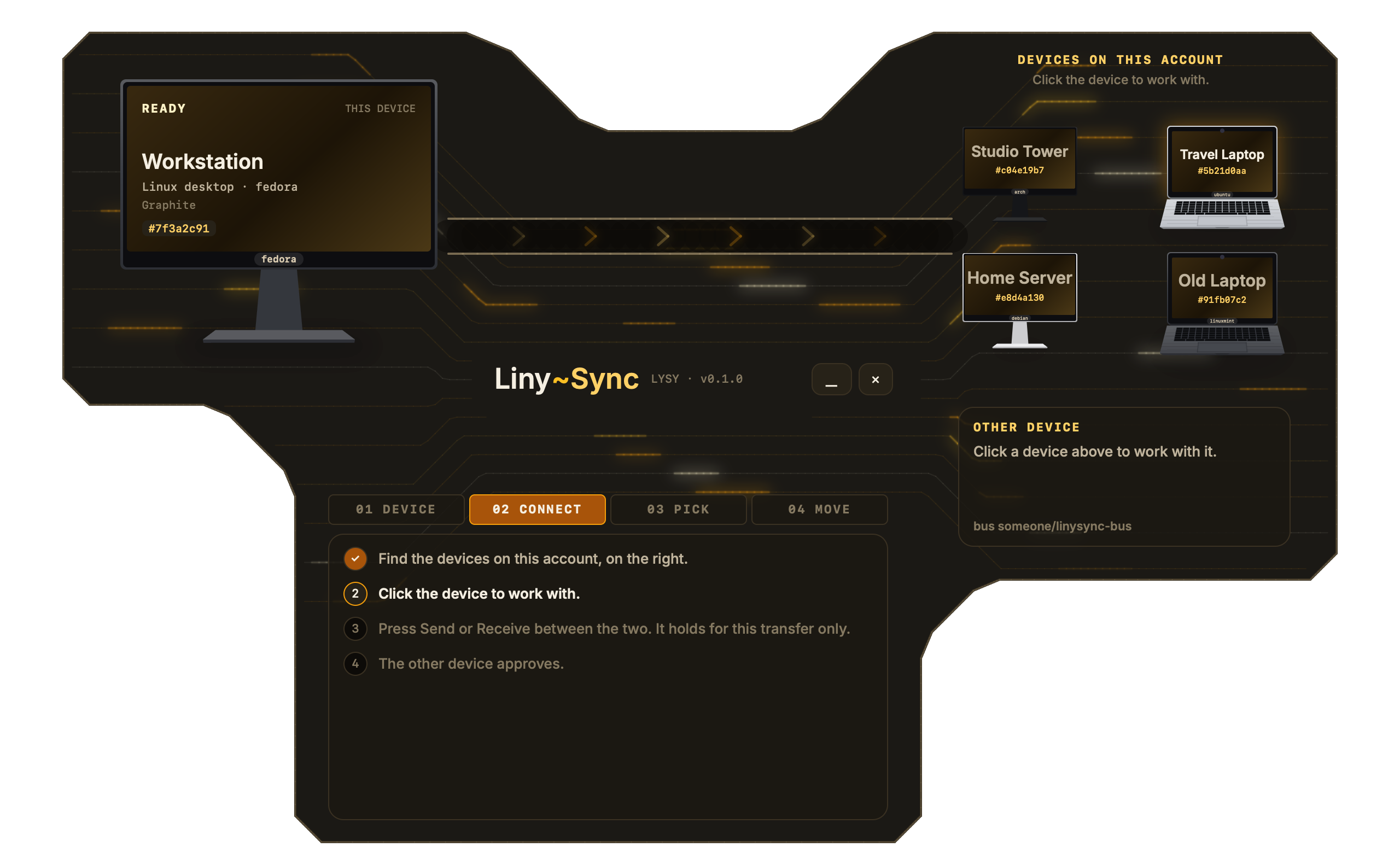
The machines on your account show up as laptops and desktops, each with its distro on a badge. Click one to pick it.

02

Ask

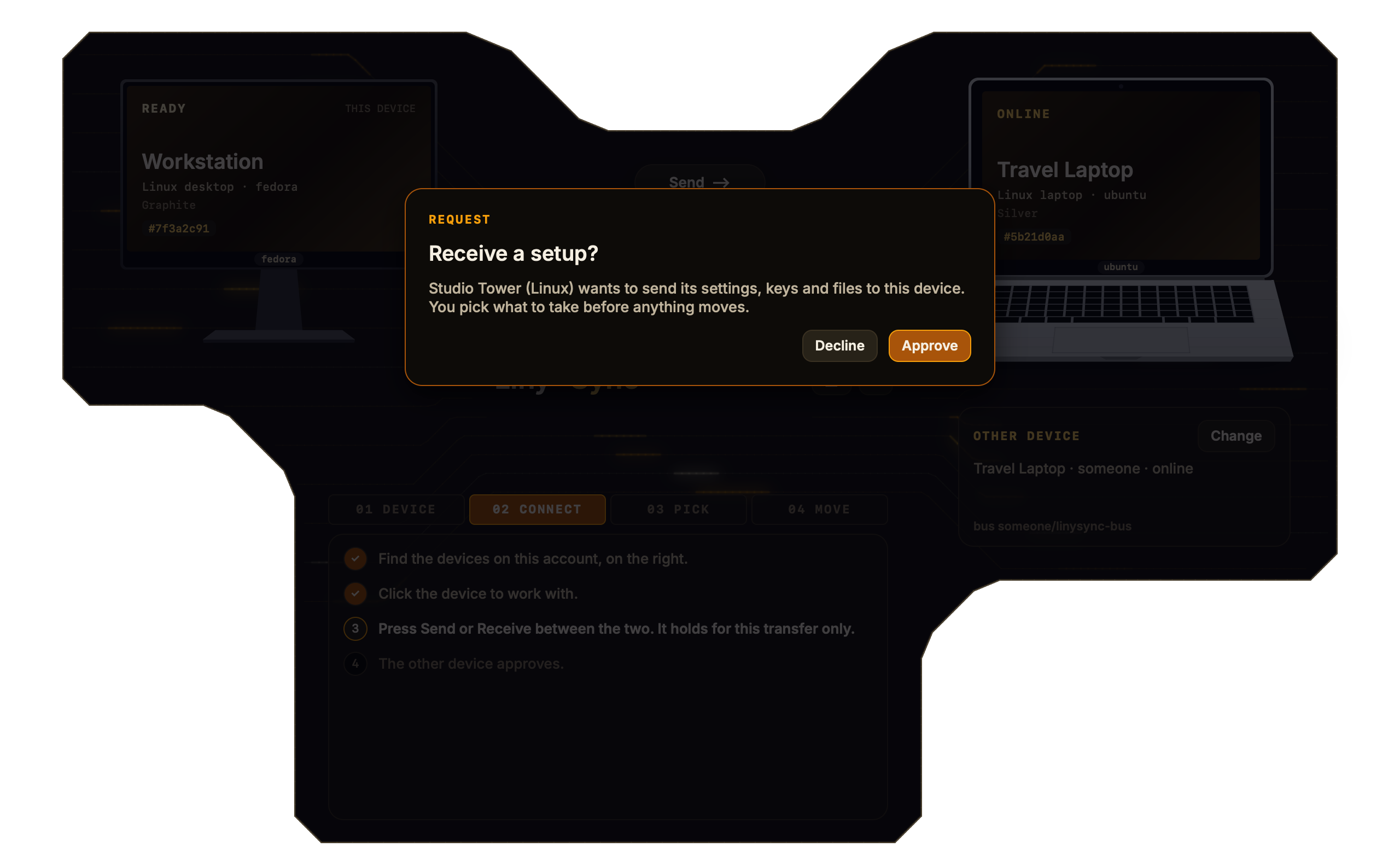
Choose to send or to receive. The other device asks its owner to approve.

03

Pick

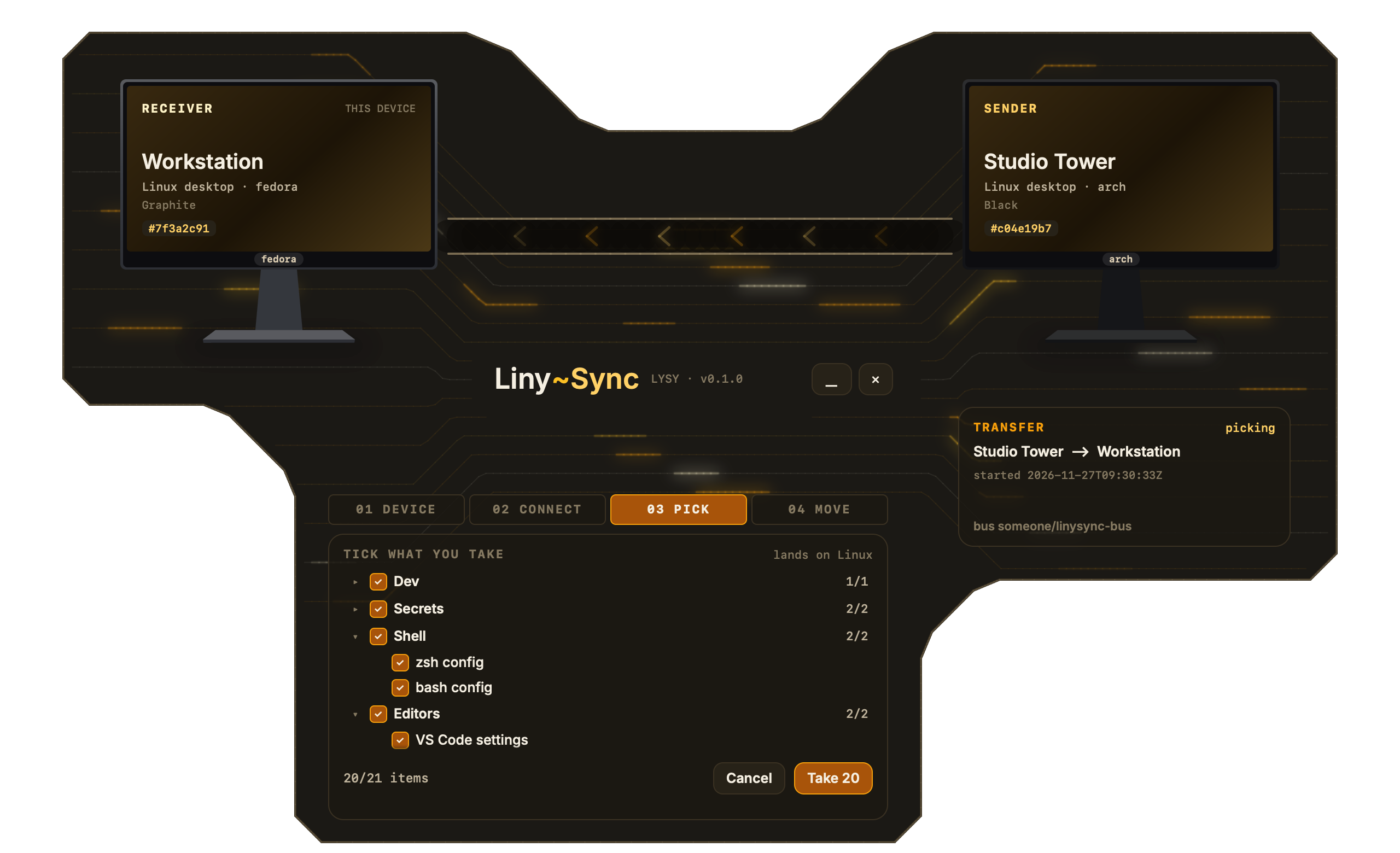
The sender offers a tree of what it has; you tick what the new machine takes.

04

Move

Only the picks travel, straight across and encrypted. A cut connection asks again for what is missing.

05

Finish

Each item lands in its place, and GOAL.md tells your AI agent what is left to do.

03

Packages cross distros

Each manager's list is made on the old machine; your agent installs the same tools with the new one's.

ListMade withOn the new machine
aptapt-mark showmanualeach package found in this distro's manager
dnfdnf repoquery --userinstalledeach package found in this distro's manager
pacmanpacman -Qqeeach package found in this distro's manager
Flatpakflatpak list --appflatpak install for each app
Homebrewbrew bundle dumpbrew bundle where Homebrew is

Dotfiles and settings land at the same paths under the new home, with $XDG_CONFIG_HOME read on each machine. Whatever was already in place is kept next to it as .before-linysync. Packages with no match on the new distro go to TODO-FOR-YOU.md.

Read the docs →
Features

What makes the move painless

One small app on both machines, whatever distro each runs.

EITHER WAY

Send or receive, every time

No fixed sender. Either machine sends to or takes from the other, chosen per transfer.

ANY DISTRO

Distro to distro

Each machine wears its distro's name on a badge. The paths are Linux paths on both ends, so any pair works.

PACKAGES

Lists, not binaries

apt, dnf, pacman, Flatpak, Snap and Homebrew lists travel as text; your agent installs with the new distro's manager.

DIRECT

Machine to machine, not via a cloud

Files go over your network. GitHub only carries who is who and the sealed keys.

SEALED

End-to-end encrypted

Offers, picks and keys are sealed to each machine's own key; files stream under XChaCha20-Poly1305.

BRIEF

Your agent finishes it

GOAL.md says what landed where, which paths to rewrite and which packages to install.

All features →
The app

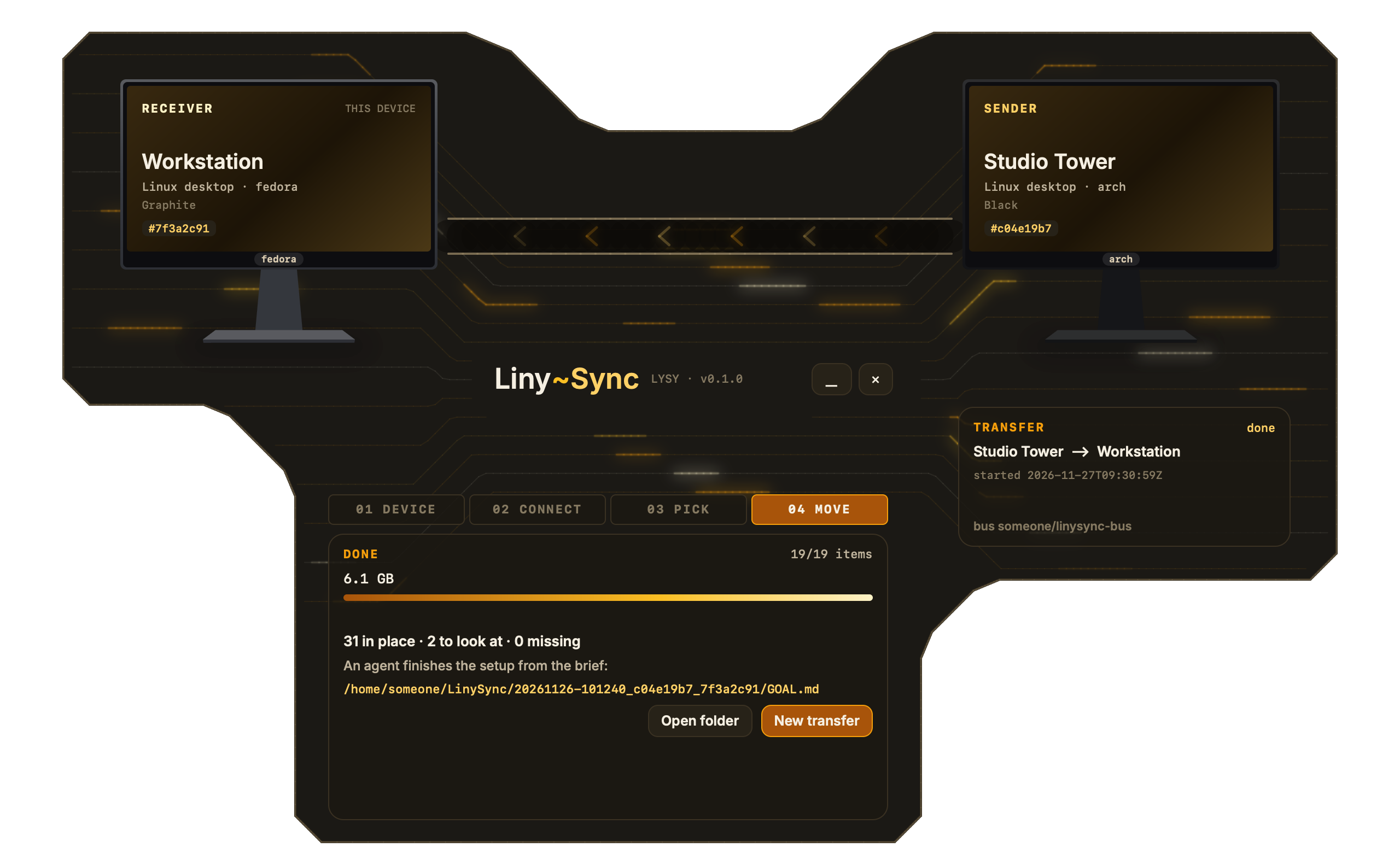
Liny~Sync window

This machine is always on the left, the other on the right; the lines run from sender to receiver.

On the move

What moves, and what stays

LinySync moves what makes a Linux machine yours, and says plainly what it leaves for the new distro to do its own way.

What moves

  • Files: Desktop, Documents, Downloads, Pictures, Music and Videos, each top-level item on its own. Folders rebuilt from source, like node_modules, target and .venv, stay behind.
  • Shell and git: git config, SSH and GnuPG keys, zsh and bash config, a PowerShell profile if you have one.
  • Editors and terminals: VS Code, Cursor, Zed, Wave.
  • Notes, browsers, AI tools: Obsidian's vault list, bookmarks of Chrome, Brave, Edge and Chromium, Claude Code, Codex.
  • Lists of installed tools: apt, dnf, pacman, Flatpak, Snap, Homebrew, npm, cargo, pipx, VS Code and Cursor extensions.

What stays, and why

  • The packages themselves: they are installed again with the new distro's own manager, not copied.
  • Passwords saved in browsers: the old machine's secret service (GNOME Keyring or KWallet) seals them. Use the browser's own sync or its password export.
  • System settings and the machine's identity: /etc, a Tailscale node, remote desktop ids and the like.
  • Logins: AI tools and apps are signed in again on the new machine.
In the repo

Only the handshake lives on GitHub.

you/linysync-bus/           # private
├── devices/
│   ├── 7f3a2c91.json    # name, system, look, public key
│   └── c04e19b7.json
├── requests/            # send or receive, to approve
└── transfers/
    └── 20261126-1605_7f3a2c91_c04e19b7/
        ├── session.json # progress
        ├── offer.sealed # what the sender offers
        ├── picks.sealed # what the receiver takes
        └── key.sealed   # stream key and address

Never on GitHub

  • Your files: they go from machine to machine
  • Anything readable about what you move: offers and picks are sealed
  • Your GitHub sign in: LinySync asks the GitHub CLI for it each time
  • Anything you leave unticked
The family

One family, every kind of move

Same makers, same look. The native ones go deepest, since both ends share the same paths and settings; AnySync crosses between systems; WavySync keeps Wave Terminal in step.

Download

Get Liny~Sync.

One program, the window and the command line together: tar -xzf linysync-linux-x64.tar.gz, then ./linysync. It needs the GitHub CLI signed in (gh auth login). This is 0.1.0, the first release.

Download page →